
爱意满满的作品展示区。
laysath

[开源] 写了个 AI 命令行工具: fuckit.sh,完全免费

  •  
  •   laysath · Oct 28, 2025 · 1419 views
    This topic created in 211 days ago, the information mentioned may be changed or developed.

    preview

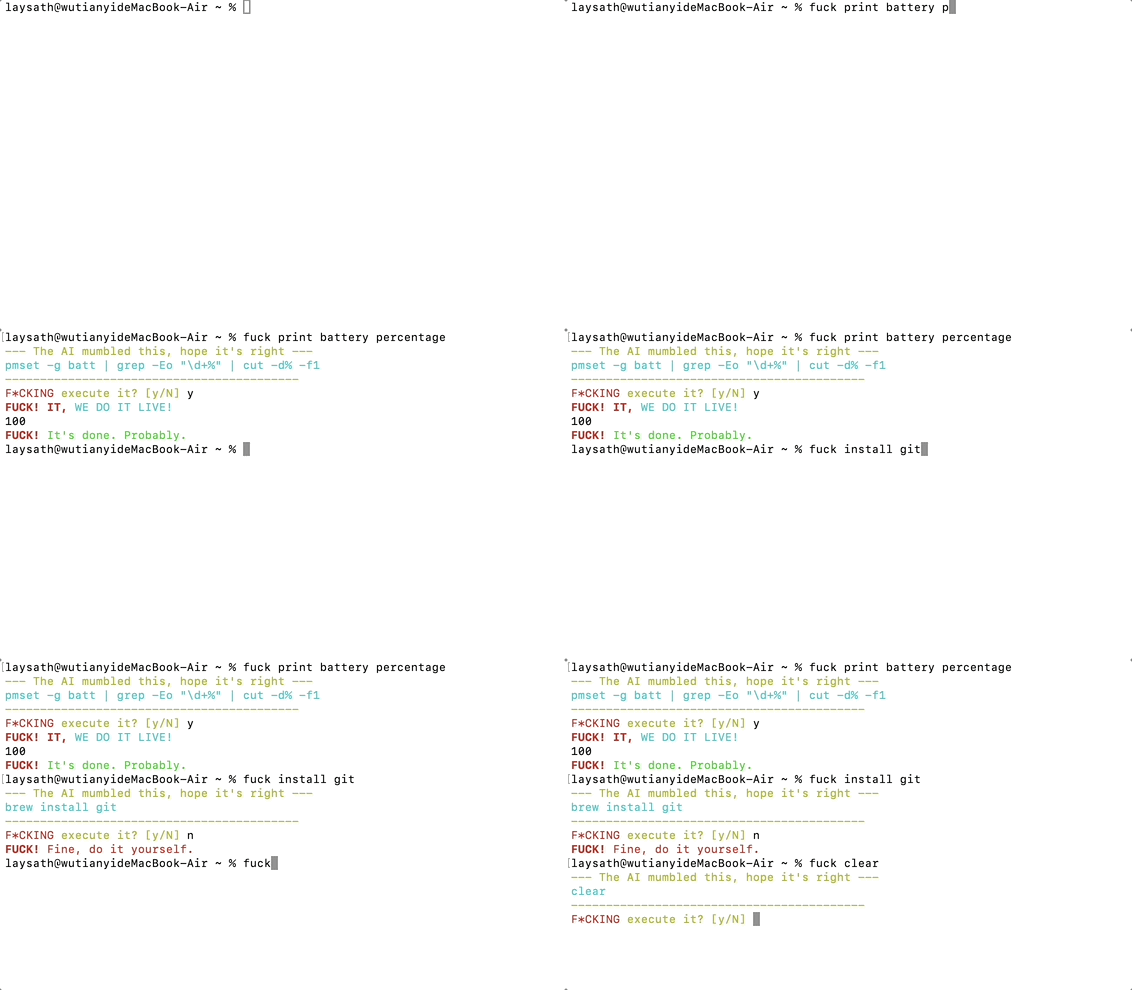
    大家好,如题,写了个小工具 fuckit.sh

    起因:水群的时候聊到不同 Linux 发行版的包管理器,比如aptyumbrew等,于是想到能不能写一个工具来统一不同包管理器的使用体验(因为楼主只会用 apt 和 brew )。问了 ai 后说要做包名映射,于是一不做二不休干脆接入LLM得了,就有了这个项目。

    解决痛点:老是忘命令。tar 解压到指定目录是哪个参数来着?find 按大小和时间怎么搜?每次都去 Google ,烦了。

    用法:

    # 安装
    curl fuckit.sh | bash
    # 例子:
    fuck find all files larger than 10MB
    fuck install git
    fuck 找出当前目录所有大于 10MB 的文件
    

    核心特性:

    1. 完全免费:你不需要自己的 OpenAI API Key ,开箱即用。

    2. 安全确认:AI 给出的命令会先显示出来,你按 y 确认后才执行,防止手滑。

    3. 智能上下文:会自动检测你的系统 (Linux/macOS) 和包管理器 (apt/yum/brew)。

    4. 支持临时用:不想安装?试试这个:

      curl fuckit.sh | bash -s "你的需求"

    项目刚起步,求各位 V 友点个 Star 鼓励一下!

    GitHub: https://github.com/faithleysath/fuckit.sh

    onewesong
        1
    onewesong  
       Oct 28, 2025
    不错,star 了
    About   ·   Help   ·   Advertise   ·   Blog   ·   API   ·   FAQ   ·   Solana   ·   5397 Online   Highest 6679   ·     Select Language
    创意工作者们的社区
    World is powered by solitude
    VERSION: 3.9.8.5 · 55ms · UTC 07:55 · PVG 15:55 · LAX 00:55 · JFK 03:55
    ♥ Do have faith in what you're doing.